All Google Slides updates
88 updates to Google Slides tracked so far.
-
2015-07-09Content & Collaboration
Change slide layouts in Google Slides for Android
Within the Google Slides app for Android, users can now change the layout of an existing slide to one of several predefined layouts, allowing them to update presentations on mobile more effectively.
Release: Both • Rapid: 2015-07-09 • Scheduled: 2015-07-09 -
2015-06-11Content & Collaboration
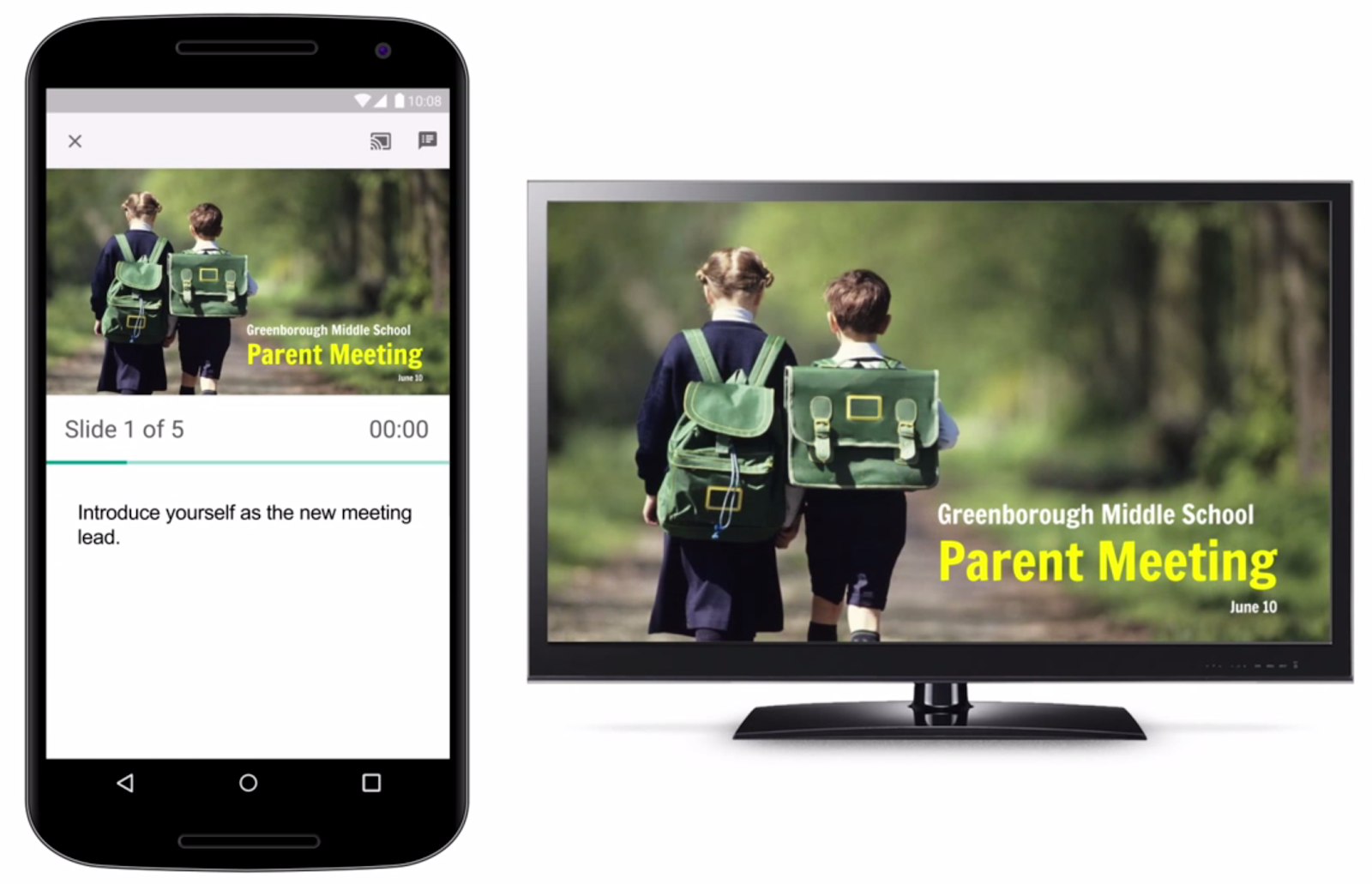
Google Slides app now supports Chromecast and AirPlay.
The Google Slides app has been updated to enable users to present their presentations on big screens using Chromecast or AirPlay from a phone or tablet. While presenting, the mobile device can be used as a remote to advance slides, view speaker notes, and monitor a timer.
Release: Both • Rapid: 2015-06-11 • Scheduled: 2015-06-11 -
2015-05-13Content & Collaboration
Mobile image and table insertion and manipulation now available in Google Slides apps for Android and iOS.
New versions of the Google Slides app for Android and iOS now support inserting, cropping, and masking images, as well as inserting and manipulating tables. These improvements are available for both online and offline use.
Release: Both • Rapid: 2015-05-13 • Scheduled: 2015-05-13 -
2015-04-28Content & Collaboration
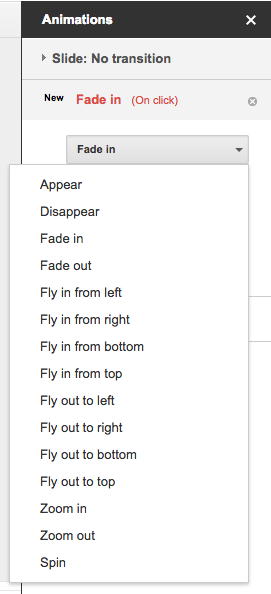
New animations and direction settings for existing animations in Google Slides.
Google Slides has introduced two new animations, 'Appear' and 'Disappear', to make presentations more dynamic. Additionally, users can now set the direction (to and from left, right, top, and bottom) for the existing 'Fly in' and 'Fly out' animations.
Release: Both • Rapid: 2015-04-28 • Scheduled: 2015-04-28 -
2015-04-16Content & Collaboration
New features and performance improvements for the Google Slides app.
The Google Slides app now allows users to reorder objects to the front or back. Additionally, the app now provides quicker loading and scrolling when opening PowerPoint presentations.
Release: Both • Rapid: 2015-04-16 • Scheduled: 2015-04-16 -
2012-03-07Content & Collaboration
New presentations editor is now the default editor
The new presentations editor is now the default editor for domains on the Scheduled Release track and includes discussion features similar to those found in Google Docs.
Release: Scheduled • Scheduled: 2012-03-07 -
2012-02-29Content & Collaboration
New presentations editor becomes the default and adds discussions
The new presentations editor is now the default editor and includes discussion capabilities similar to those available in Google Docs.
Release: Scheduled • Scheduled: 2012-03-06 -
2012-02-23Content & Collaboration
The new presentations editor is now the default for new presentations and includes discussion features.
The new presentations editor, originally launched in October 2011, is now the default editor for all new presentations. This update also introduces discussion capabilities similar to Google Docs, allowing users to comment on specific shapes or entire slides, send email notifications to collaborators, resolve comments, and provide comment-only access to presentations to facilitate feedback without allowing direct edits.
Release: Rapid • Rapid: 2012-02-23 -
2008-04-25Content & Collaboration
Google Presentations adds YouTube video embedding
Users can now embed YouTube videos into their Google Presentations. To do this, open a presentation for editing, click 'Insert video', and search for the desired video to embed.
Release: Rapid • Rapid: 2008-04-25 -
2008-04-25Content & Collaboration
Google Presentations adds speaker notes
Users can now add speaker notes to their Google Presentations by clicking the speaker notes icon at the bottom right of the screen. These notes can be viewed during the presentation by clicking 'View speaker notes' after starting the presentation.
Release: Rapid • Rapid: 2008-04-25 -
2008-04-09Content & Collaboration
Google Presentations now supports exporting to PowerPoint (.ppt) format.
Users can now export Google Presentations to the PowerPoint (.ppt) file format. To access this feature, users can sign in to Google Docs, open a presentation, and select 'Save as PPT' from the 'File' menu. This update is available for Standard, Premier, Education, Team, and Partner Editions in US English.
-
2008-01-25Content & Collaboration
Google Presentations adds PDF printing support.
Users can now save Google Presentations as PDF files by selecting 'File' and then 'Save as PDF' or 'Print...' within the application.
Release: Rapid • Rapid: 2008-01-25 -
2008-01-05Content & Collaboration
Google Presentations adds image drag-and-drop, vector shapes, slide imports, and web embedding.
Google Presentations now supports drag and drop image insertion from other Google Presentations and web pages. Users can also add basic vector shapes to slides, import individual slides from other Google Presentations and PowerPoint PPT files, and embed slideshows from Google Presentations into web pages.
Release: Both • Rapid: 2008-01-05