All Google Meet updates
364 updates to Google Meet tracked so far.
-
2022-09-02Comms & Meetings
Google Hangouts on web will redirect to Google Chat on web starting November 1, 2022, and Hangouts will no longer be accessible.
Beginning November 1, 2022, Google Hangouts on web will redirect to Google Chat on web, and Hangouts will no longer be accessible. Admins will receive an email containing more information about this change, as well as changes in Vault and exporting Hangouts data.
Release: Both • Rapid: 2022-11-01 • Scheduled: 2022-11-01 -
2022-09-02Comms & Meetings
Google Hangouts on web will redirect to Google Chat on web starting November 1, 2022, and Hangouts will no longer be accessible.
Beginning November 1, 2022, Google Hangouts on web will redirect to Google Chat on web, and Hangouts will no longer be accessible. Admins will receive an email containing more information about this change, as well as changes in Vault and exporting Hangouts data.
Release: Both • Rapid: 2022-11-01 • Scheduled: 2022-11-01 -
2022-07-21Comms & Meetings

Google Workspace users can live stream meetings publicly via YouTube.
Once enabled by an Admin, Google Workspace users can live stream meetings publicly via YouTube. You can initiate a live stream in Meet by navigating to Activities panel > Live Streaming and selecting your channel from the list. Live streaming is useful in situations where you want to present information to large audiences outside of your organization, giving them the opportunity to pause and replay as needed, or view the presentation at a later time.
Release: Both • Rapid: 2022-07-21 • Scheduled: 2022-07-25 -
2022-06-17Comms & Meetings
Picture-in-Picture and multi-pinning available for Google Meet in Chrome
We’re bringing picture-in-picture to Google Meet to Chrome browsers on the web. You’ll be able to see up to four video tiles of meeting attendees in a floating window on top of other applications.
Release: GA • Rapid: 2022-06-17 • Scheduled: 2022-06-17 -
2022-02-01Comms & Meetings
Classic Hangouts will be upgraded to Google Chat beginning March 22, 2022.
Beginning March 22, 2022, the “Chat preferred” setting will be turned on for any customers who haven’t already done so, making Google Chat the default chat application. This means that when users visit classic Hangouts in Gmail on the web or the classic Hangouts mobile apps, they’ll be directed to Chat. Hangouts.google.com will continue to work.
Release: Both • Rapid: 2022-03-22 • Scheduled: 2022-03-22 -
2022-01-13Comms & Meetings
Activity notifications are being introduced for Google Meet hardware and Nest Hub Max.
Google Meet hardware and Nest Hub Max devices will now display prompts when chat messages are sent or other interactive activities are initiated in a meeting, encouraging users to utilize Companion mode to participate.
Release: Both • Rapid: 2022-02-02 • Scheduled: 2022-02-02 -
2022-01-13Comms & Meetings
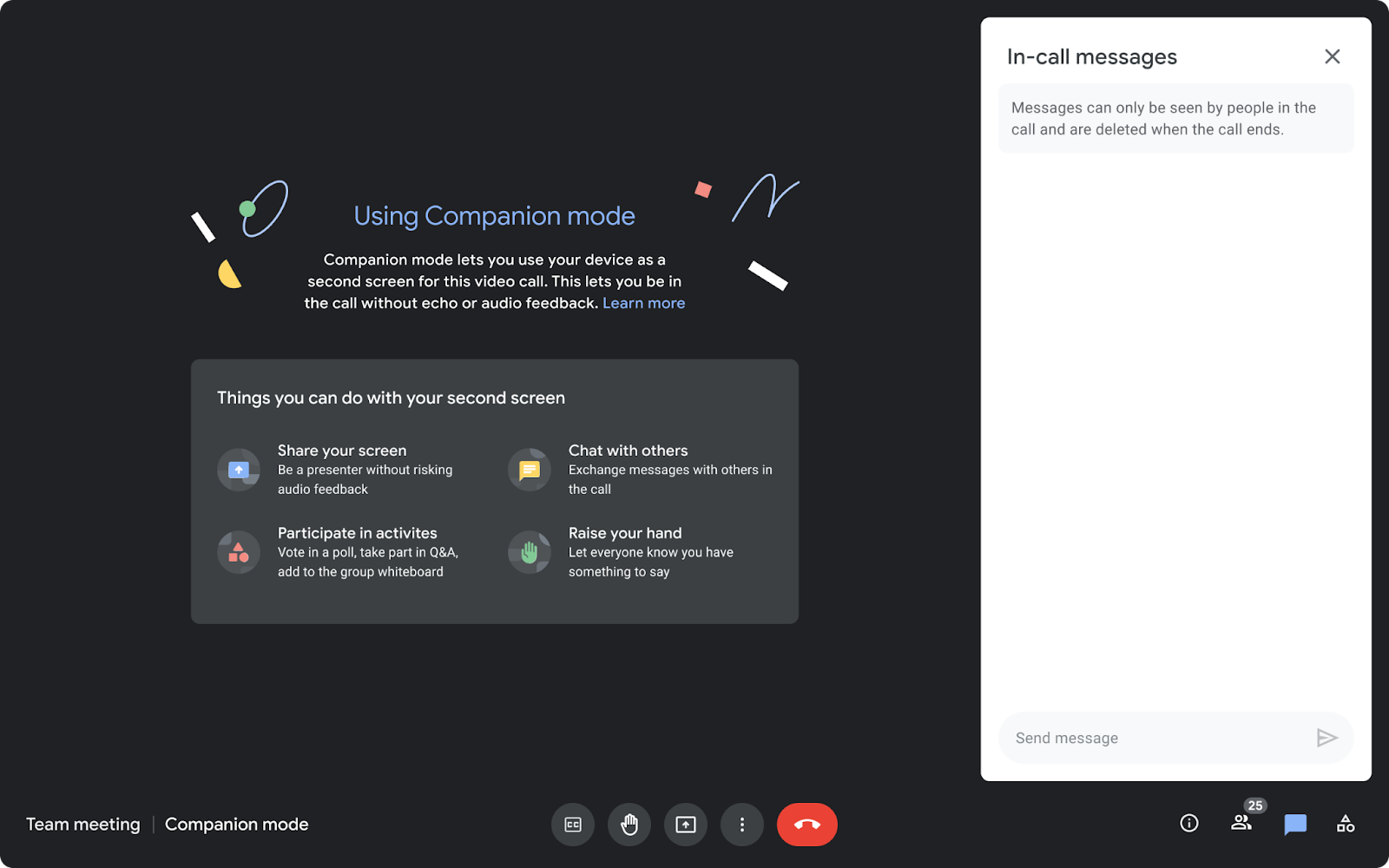
Companion mode is now available on the web for users joining meetings via Google Meet hardware or Nest Hub Max.
Companion mode allows users in hybrid meetings to connect via the web (using g.co/companion or g.co/present) while utilizing Google Meet hardware or Nest Hub Max for audio and video. This enables access to interactive features such as chat, screen sharing, hand raising, and polls without causing audio feedback, ensuring collaboration equity for all attendees regardless of their location.
Release: Both • Rapid: 2022-01-13 • Scheduled: 2022-01-27 -
2022-01-13Comms & Meetings
Beginning today, you can use Companion mode on the web when joining a meeting using Google Meet hardware or the Nest Hub Max.
Beginning today, you can use Companion mode on the web when joining a meeting using Google Meet hardware or the Nest Hub Max. Companion mode allows you to access interactive features and controls such as chat, screen sharing, hand raising, polls, host controls and more.
Release: Both • Rapid: 2022-01-13 • Scheduled: 2022-01-27 -
2022-01-12Comms & Meetings
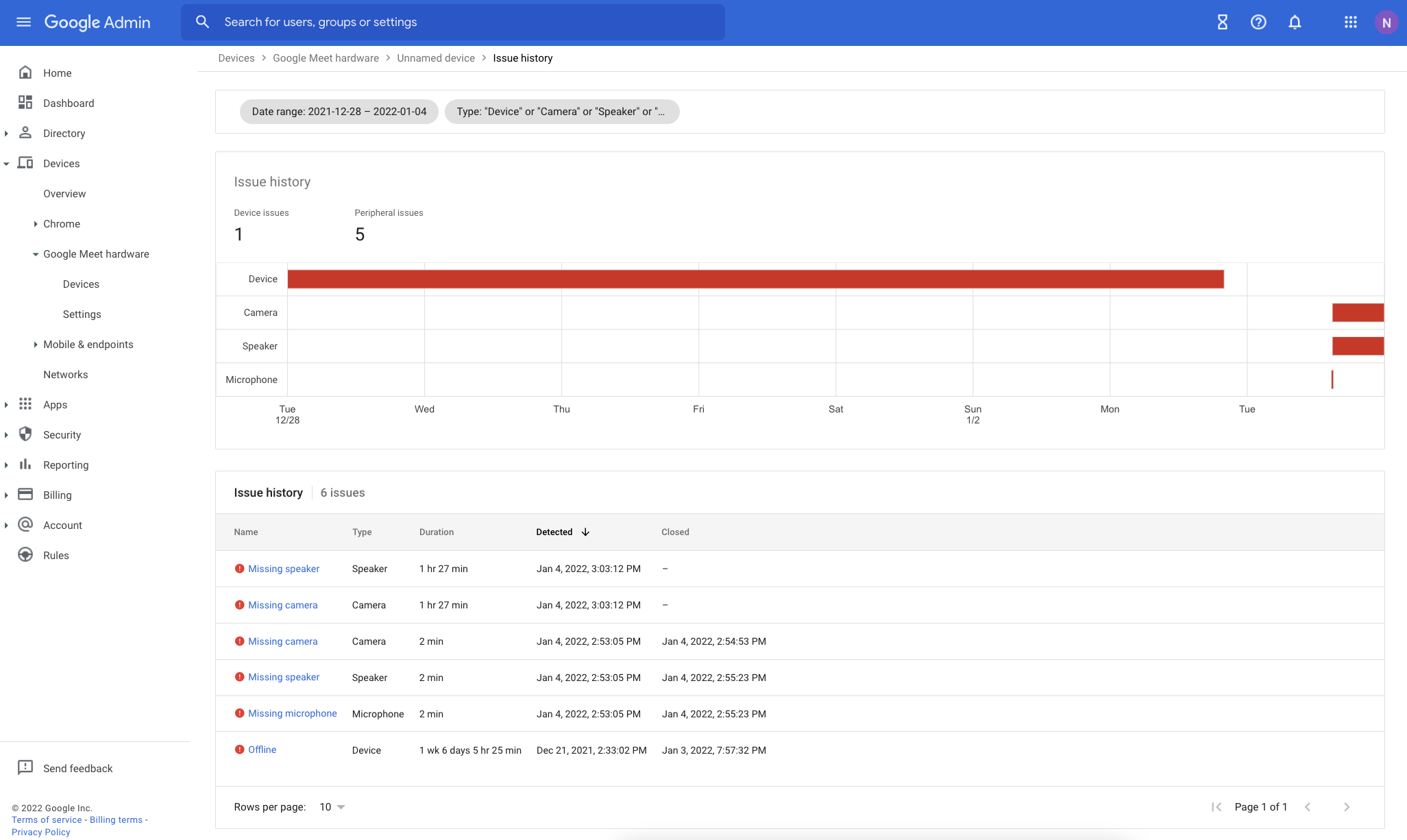
Improvements to Google Meet hardware issue troubleshooting in the Admin console.
Google has enhanced the issue detection engine for Google Meet hardware to provide more reliable alerts and reduce false signals. The Admin console now includes several new troubleshooting tools: an Issue History page for tracking device health over time, quick-filters for the device list, a detailed issue sidebar with troubleshooting recommendations, and new columns for aggregated issue counts over the last 28 days.
Release: Both • Rapid: 2022-01-12 • Scheduled: 2022-01-12 -
2022-01-12Comms & Meetings
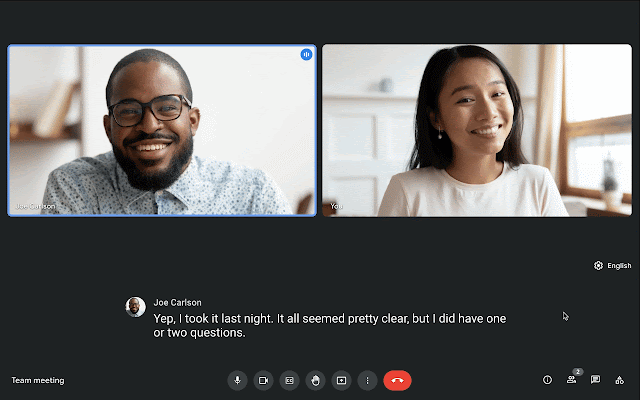
Live translated captions in Google Meet are now generally available for select Google Workspace editions.
Google Meet has made live translated captions generally available for select Google Workspace editions, allowing participants to translate English meetings into French, German, Portuguese, and Spanish. This feature is available on both web and mobile devices and is designed to make video calls more inclusive and collaborative by removing language proficiency barriers.
Release: Both • Rapid: 2022-01-12 • Scheduled: 2022-01-12 -
2022-01-12Comms & Meetings
We’ve made several improvements to the issue detection engine which notifies admins about peripheral and connectivity issues in their Google Meet hardware fleet.
We’ve made several improvements to the issue detection engine which notifies admins about peripheral and connectivity issues in their Google Meet hardware fleet. These improvements will make alerts more reliable and cut down on noise and false signals.
Release: Both • Rapid: 2022-01-12 • Scheduled: 2022-01-12 -
2022-01-12Comms & Meetings
We’re now making live translated captions generally available for select Google Workspace editions.
In 2021, we announced a beta for live translated captions in Google Meet. We’re now making live translated captions generally available for select Google Workspace editions. Meeting participants can translate English meetings to: French, German, Portuguese, Spanish
Release: Both • Rapid: 2022-01-12 • Scheduled: 2022-01-12 -
2021-12-15Comms & Meetings
Admins can now configure custom screen saver policies for Google Meet hardware devices to use them as digital signage.
Google is providing admins with more control over screen savers on Google Meet hardware devices, enabling their use as digital signage. Admins can now set a publicly accessible URL to display when devices are inactive, define the number of minutes of inactivity before the screen saver appears, and specify how soon before the next meeting the screen saver is dismissed.
Release: Both • Rapid: 2021-12-15 • Scheduled: 2021-12-15 -
2021-12-14Comms & Meetings
Google Meet introduces automatic return of breakout room participants to the main meeting room.
Google Meet is enhancing breakout room management by allowing hosts and co-hosts to automatically move participants back to the main meeting room once the breakout session ends. This update includes a countdown banner to notify participants of the transition, improved visual indicators confirming the move, and the automatic disabling of cameras and microphones upon return to the main room to ensure a smooth transition.
Release: Both • Rapid: 2021-12-14 • Scheduled: 2021-12-14 -
2021-12-07Comms & Meetings
New built-in interoperability between Google Meet and Cisco Webex.
Google Meet is introducing built-in video conferencing interoperability with Cisco Webex, allowing users to join Webex meetings from Google Meet hardware devices and join Google Meet calls from supported Cisco Webex devices. While core video conferencing features are supported, some advanced features like polls, breakout rooms, and dual-screen support may be unavailable. Admins can enable or disable this feature for specific organizational units via the Google Meet Hardware Settings page in the Admin console.
Release: Both • Rapid: 2021-12-07 • Scheduled: 2021-12-07