All Google Calendar updates
175 updates to Google Calendar tracked so far.
-
2016-01-19Comms & Meetings

New admin control to suppress prompts when inviting external guests in Google Calendar.
Domain administrators can now enable or disable the confirmation prompts that appear when users invite guests from outside their domain to Google Calendar events. This setting can be managed globally or on a per-organizational unit (OU) basis via the Admin console under Apps > Google Apps > Calendar > Sharing Settings > External invitations. The setting is enabled by default.
Release: Both • Rapid: 2016-01-19 • Scheduled: 2016-01-19 -
2016-01-12Comms & Meetings

New Admin console setting allows users to book resources shared as 'See only free/busy'.
Google has introduced a new setting in the Admin console that enables users to book calendar resources even when they are shared with the domain as 'See only free/busy'. Previously, admins had to share resources as 'See all event details' to allow booking, which exposed sensitive event information. This update allows admins to maintain privacy while still permitting resource booking across the domain.
Release: Both • Rapid: 2016-01-12 • Scheduled: 2016-01-12 -
2015-12-16Comms & Meetings
Introduction of the new Calendar Resource API for managing physical resources.
Google has introduced the new Calendar Resource API as part of the Admin SDK's Directory API, enabling Google for Work customers to manage physical resources such as conference rooms, printers, and nap pods. These resources can be added to meetings by end users. This new API replaces the GDATA Calendar Resource API, which is scheduled for deprecation starting in January 2016 and will be sunset in January 2017.
Release: Both • Rapid: 2015-12-16 • Scheduled: 2015-12-16 -
2015-12-10Comms & Meetings
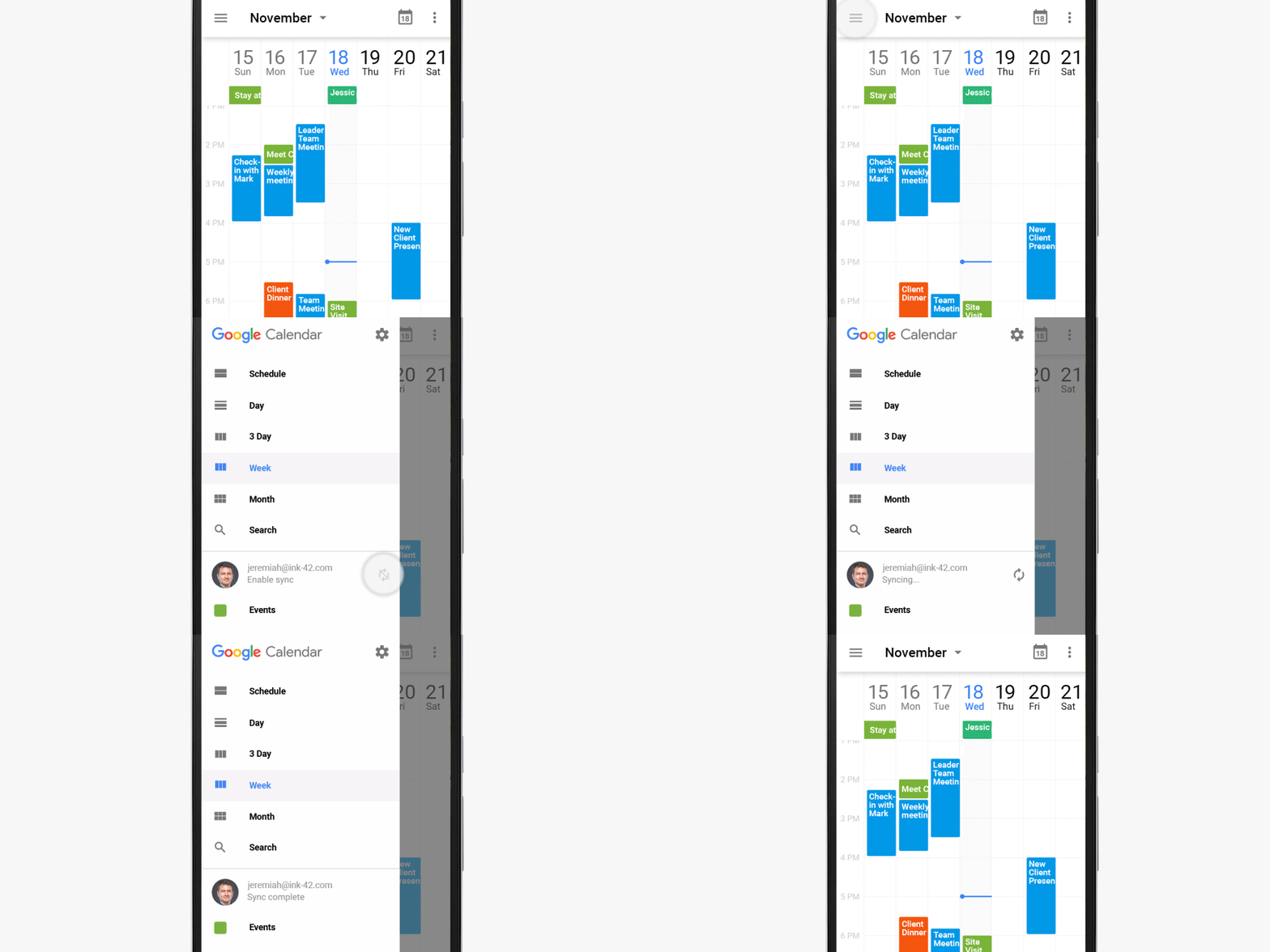
Easier account syncing in the Google Calendar app for Android.
The latest version of the Google Calendar app for Android makes it easier for users to monitor and manage account syncing. If sync is disabled for an account, an 'Enable sync' message will appear in the left side Menu, allowing users to quickly re-enable syncing by clicking on their email address.
Release: Both • Rapid: 2015-12-10 • Scheduled: 2015-12-10 -
2015-12-07Comms & Meetings
Google Calendar Android and iOS apps now support Reminders for tracking to-dos.
Users of the Google Calendar Android and iOS apps can now create Reminders to track to-dos alongside their events. Reminders are created via the '+' icon and can automatically incorporate phone numbers and addresses from contacts and Google's knowledge graph. Unlike standard events, Reminders persist and appear at the top of the calendar each day until they are marked as completed. Additionally, Reminders are integrated across other Google services, including Inbox by Gmail, Google Keep, and Google Now.
Release: Both • Rapid: 2015-12-07 • Scheduled: 2015-12-07 -
2015-11-05Comms & Meetings
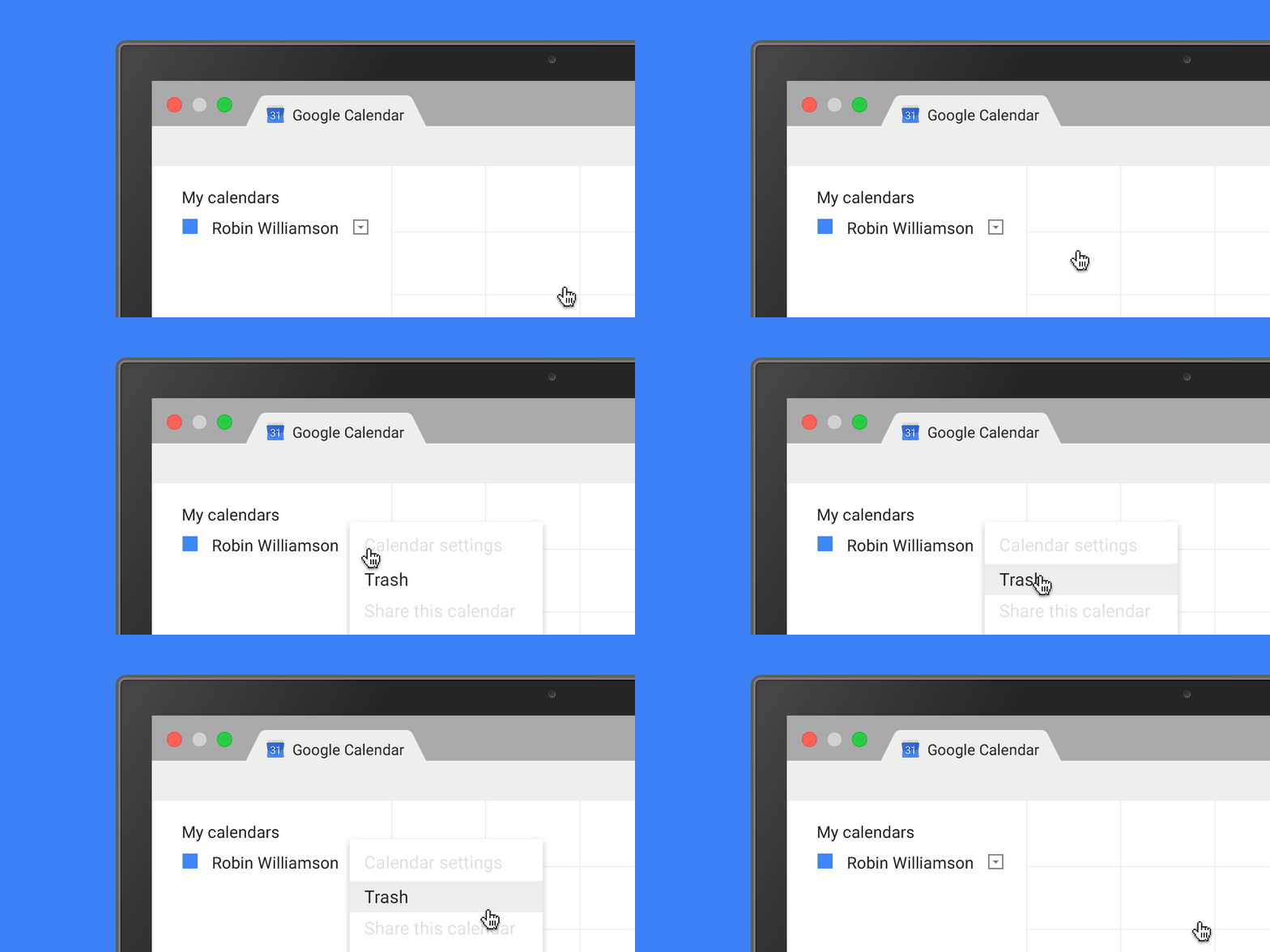
Google Calendar adds Trash functionality to restore deleted events on the web.
Google Calendar on the web now includes a Trash feature, allowing users to view, permanently delete, or restore individual and recurring deleted events. This functionality is available for primary calendars and secondary calendars where the user has edit rights. Administrators can monitor these actions using Calendar Audit logs in the Admin console.
Release: Both • Rapid: 2015-11-05 • Scheduled: 2015-11-05 -
2015-09-23Comms & Meetings
Google Calendar Chrome Web Store app URL update
Starting October 1, 2015, the Google Calendar Chrome Web Store app will be automatically updated to use the new calendar.google.com URL. Users with offline sync enabled are advised to confirm their offline settings once the update is active.
Release: Both • Rapid: 2015-10-01 • Scheduled: 2015-10-01 -
2015-09-23Comms & Meetings
Main Google Calendar URL changing to calendar.google.com
The main Google Calendar URL is changing from www.google.com/calendar to calendar.google.com to increase security. The rollout is scheduled for Rapid release domains in mid-October, with Scheduled release domains following two weeks later.
Release: Both -
2015-09-03Comms & Meetings
Google Calendar URL is changing from www.google.com/calendar to calendar.google.com.
To increase security, Google is changing the main Google Calendar URL to calendar.google.com. While the old URL will redirect to the new one, users may need to re-grant browser notification permissions, and developers of Chrome extensions or custom tools that parse the Calendar URL structure are advised to update their software to ensure continued functionality.
Release: Both -
2015-08-25Comms & Meetings
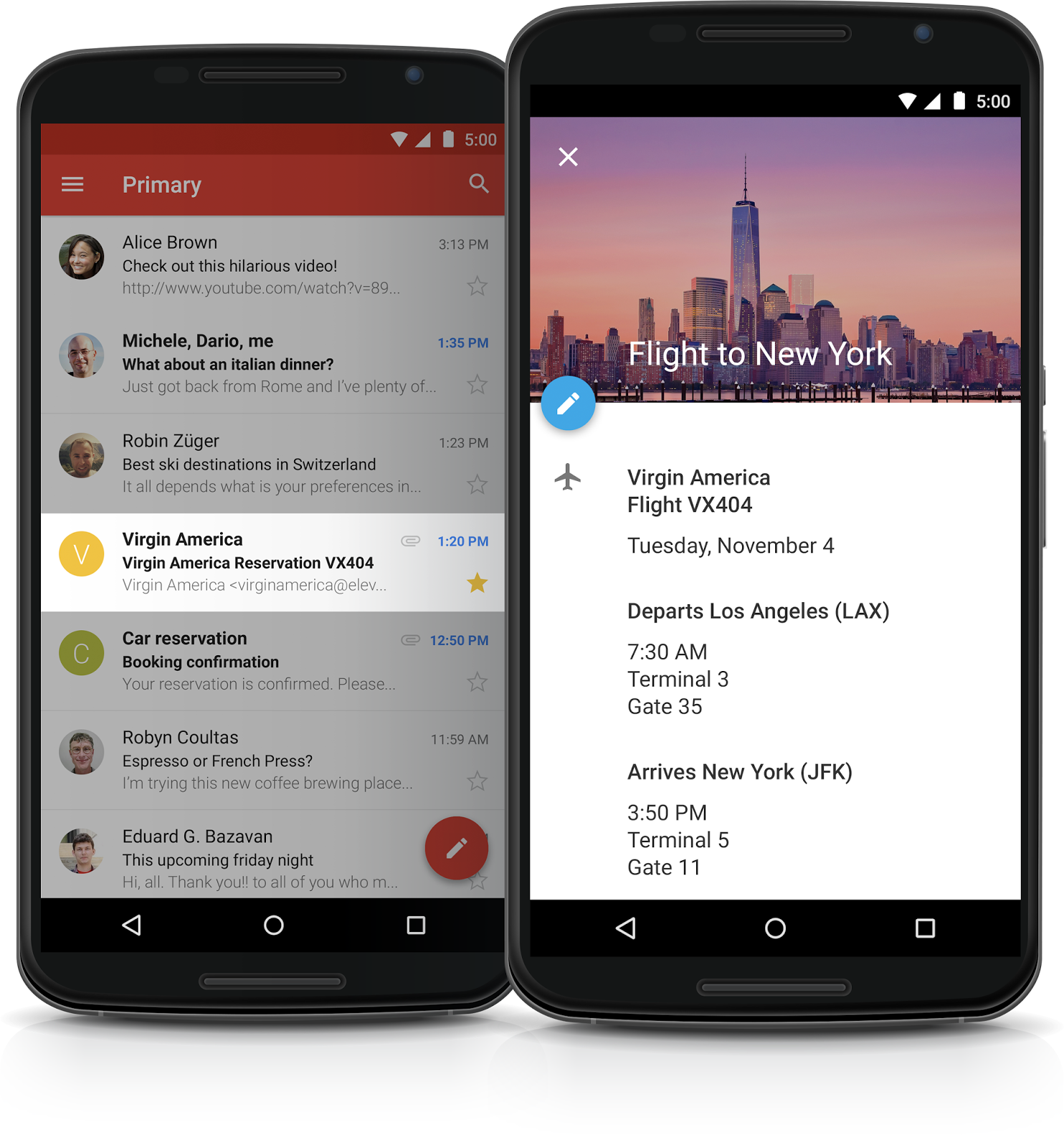
Events from Gmail are automatically added to Google Calendar for Google Apps customers.
Gmail and Google Calendar will now work together to automatically add flight, hotel, restaurant, and ticketed event information from confirmation emails directly into the user's Google Calendar. This feature includes automatic updates for changes, such as flight delays or reservation shifts, and is enabled by default for all Google Apps customers except those in Government domains. Users can manage visibility or disable the feature entirely within their Calendar settings.
Release: Both -
2015-06-23Comms & Meetings
Calendar view selection moved to navigation drawer in iPhone app
Access to all available views (Schedule, Day, 3 Day, Week) in the Google Calendar app for iPhone has been moved from the overflow menu into the navigation drawer for easier access.
Release: Both • Rapid: 2015-06-23 • Scheduled: 2015-06-23 -
2015-06-23Comms & Meetings
Option to show week numbers in Google Calendar app for iPhone
A new option has been added to the Settings of the Google Calendar app for iPhone that allows users to display week numbers.
Release: Both • Rapid: 2015-06-23 • Scheduled: 2015-06-23 -
2015-06-23Comms & Meetings
Direct actions added to event notifications in Google Calendar app for iPhone
The Google Calendar app for iPhone now allows users to directly email guests or open a map from an event notification.
Release: Both • Rapid: 2015-06-23 • Scheduled: 2015-06-23 -
2015-06-23Comms & Meetings
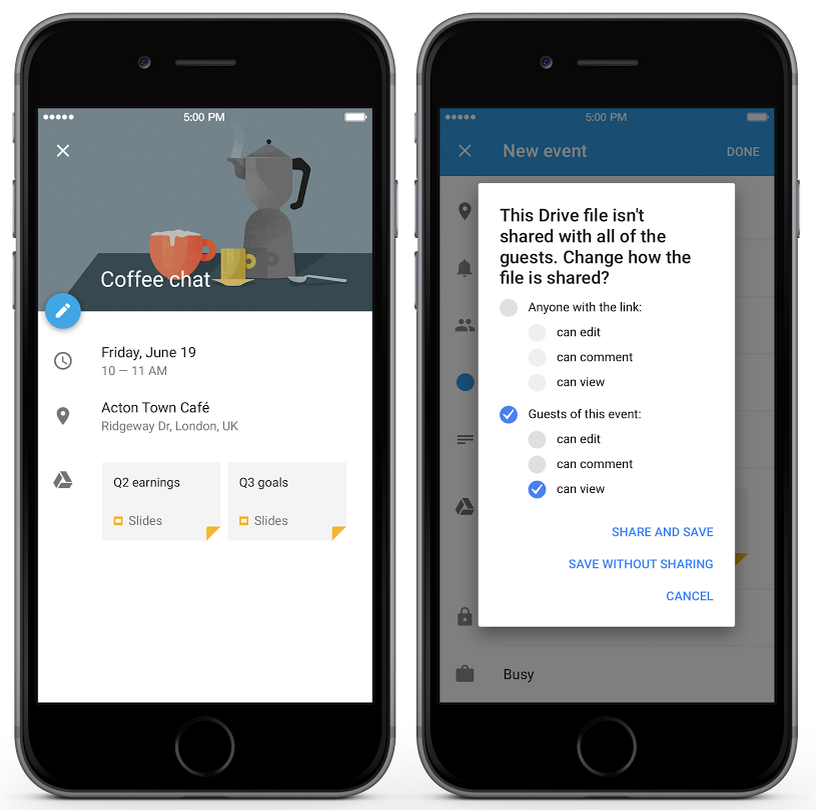
Google Drive file attachments now supported in Google Calendar app for iPhone
Users can now add Google Drive files to events within the Google Calendar app for iPhone. For domains with Drive enabled, the app will automatically check if all event invitees have access to the files and prompt the user to add access if they do not.
Release: Both • Rapid: 2015-06-23 • Scheduled: 2015-06-23 -
2015-06-23Comms & Meetings
Event attachment improvements for Google Calendar web and API
Google Calendar web now supports event attachments by default, allowing users to attach Google Drive files to events. Drive will also automatically check if event invitees have access to attached files and prompt the user to grant access if necessary. Additionally, developers can now add Drive files to Google Calendar events via the Calendar API.
Release: Both • Rapid: 2015-06-23 • Scheduled: 2015-07-07