All Google updates
2258 updates to Google tracked so far.
-
2021-12-07Content & Collaboration
Labels-driven sharing restrictions via Workspace DLP integration are launching soon.
Admins will be able to configure sharing restrictions that apply to all files with a specific label. For example, DLP administrators can set rules to warn users when sharing files labeled as 'Internal' or block external sharing, downloads, and printing for files labeled as 'Top Secret'.
Release: Both -
2021-12-07Content & Collaboration
Automated classification for Drive labels using Workspace DLP is launching soon.
Automated classification allows organizations to automatically apply Drive labels to content based on administrator-defined rules and predefined content detectors. This reduces the risk of manual classification errors and helps scale data protection efforts by providing a safeguard against unlabeled content.
Release: Both -
2021-12-07Content & Collaboration
Drive labels are now generally available for custom content categorization.
Admins can now configure custom labels for their domain, which users can apply to files in Drive via the context menu, detail pane, or the File menu in Google Docs, Sheets, and Slides. This feature helps organizations categorize content and ensure files are handled correctly, including the ability to designate one 'badged label' for high visual prominence to remind users to handle sensitive files with care.
Release: Both • Rapid: 2021-12-07 • Scheduled: 2021-12-07 -
2021-12-07Content & Collaboration
New ways to customize tables in Google Docs, including pinned headers, row split prevention, easier arrangement, sorting, and a properties sidebar.
Google Docs is introducing several table customization features to improve data presentation. Users can now pin header rows to repeat across pages, prevent rows from splitting across page breaks, drag and drop rows and columns for easier arrangement, sort table rows to organize data, and use a new sidebar to manage table properties in real time.
Release: Both • Rapid: 2021-12-07 • Scheduled: 2021-12-22 -
2021-12-07Comms & Meetings
Set tasks to repeat in Google Calendar
Users can now set tasks to repeat in Google Calendar and customize recurrence schedules. This includes the ability to create tasks with recurrence rules, edit the recurrence rules of existing tasks, and set specific end conditions for those rules.
Release: Both • Rapid: 2021-12-07 • Scheduled: 2022-01-03 -
2021-12-06Comms & Meetings
Google Meet hosts and co-hosts can now lock participants' audio and video from iOS devices.
Google Meet hosts and co-hosts can now lock all participants’ audio and video from iOS devices, which allows them to mute all participants or prevent the use of cameras to reduce disruptions. Previously, these lock settings were only available on computers. The audio and video lock settings apply to all participants regardless of the device used to enable the lock.
Release: Both • Rapid: 2021-12-06 • Scheduled: 2021-12-06 -
2021-12-06Comms & Meetings
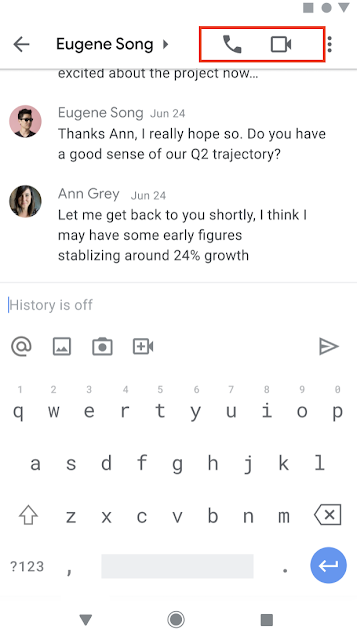
Start and join meetings and audio calls from 1:1 chats using Google Chat in Gmail on mobile.
Users can now start or join meetings and audio calls directly from 1:1 chats in Google Chat within the Gmail app on Android and iOS. To initiate a call, users can select the phone or video icon in the top right corner of a 1:1 chat, or select the phone/video chip to join an existing call. Missed calls are indicated by red phone or video icons within the conversation and chat roster.
Release: Both • Rapid: 2021-12-06 • Scheduled: 2021-12-06 -
2021-11-19Other
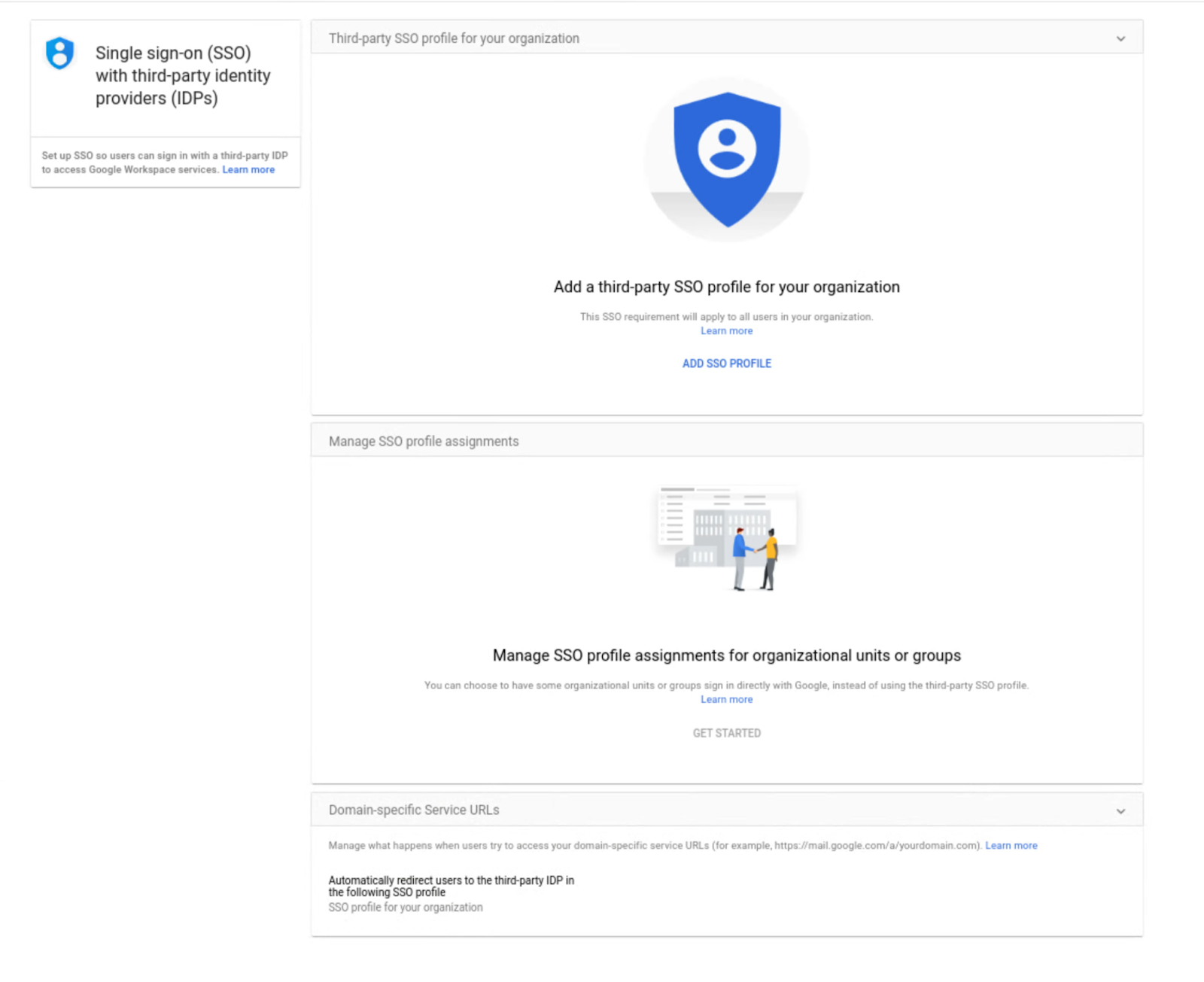
Assign SSO profile to organizational units or groups with the SAML Partial SSO feature, now generally available
This feature is now generally available and allows admins to specify groups or organizational units (OUs) to authenticate a subset of your users using Google.
Release: Both • Rapid: 2021-11-19 • Scheduled: 2021-11-19 -
2021-11-17Content & Collaboration
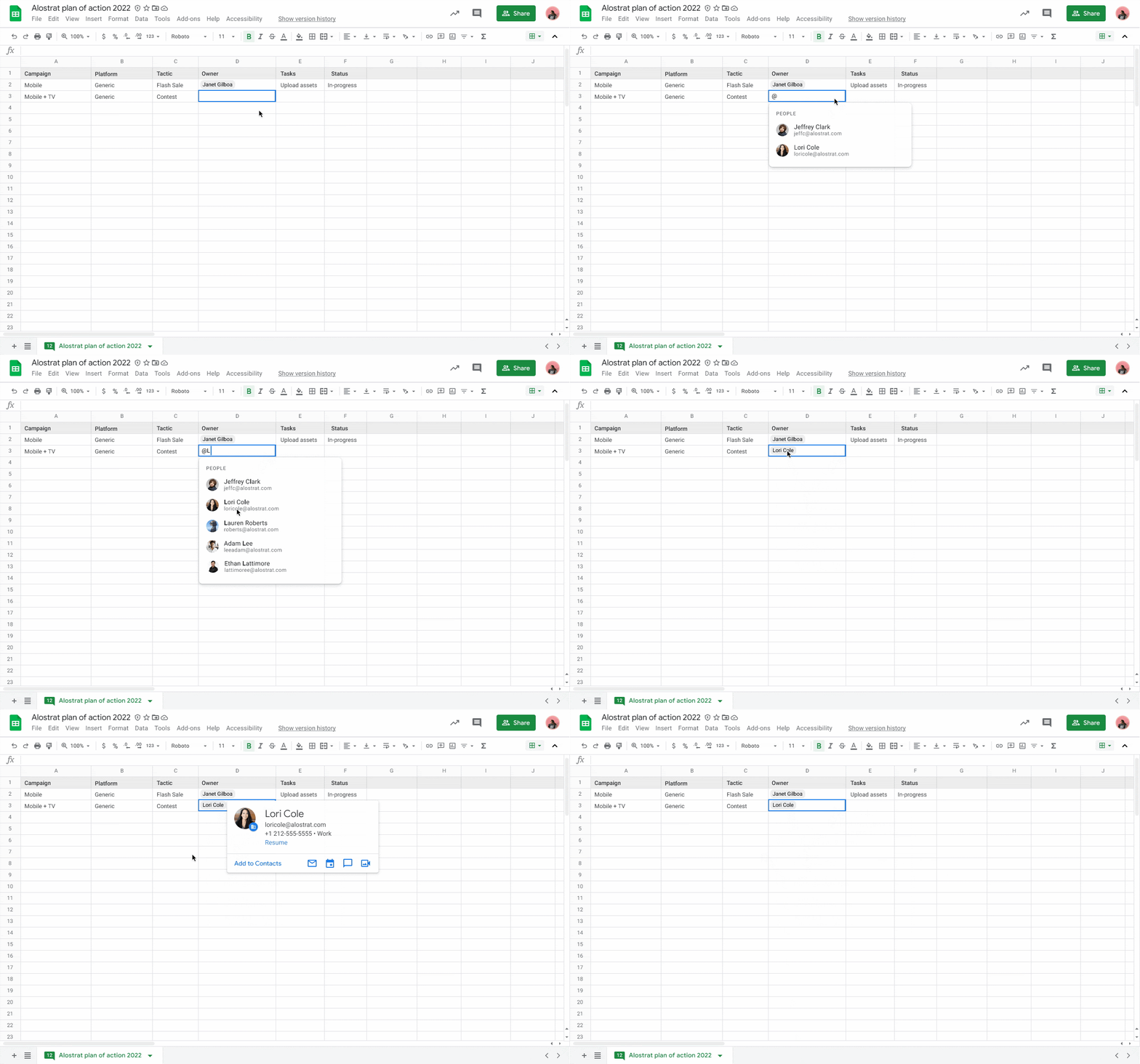
Insert people chips in Google Sheets to view contact information and take actions.
Users can now add people chips directly into Google Sheets by typing '@' or selecting Insert > People chip. These chips allow users to quickly view detailed information about colleagues or contacts, including their location, job title, and contact information, and perform actions such as booking meetings, starting a Chat, or sending an email directly from the smart chip.
Release: Both • Rapid: 2021-11-17 • Scheduled: 2021-11-17 -
2021-11-17Comms & Meetings
New immersive backgrounds, light and color filters, and stylized backgrounds for Google Meet on the web.
Google Meet on the web is introducing five new immersive backgrounds featuring subtle animations and weather effects, such as snowy or rainy cafe and condo interiors, to help dispersed teams represent their current climate and time zone. Additionally, users will have more customization options through new light and color filters and stylized backgrounds, accessible via the effects settings panel before or during a call.
Release: Both • Rapid: 2021-11-17 • Scheduled: 2021-12-02 -
2021-11-16Content & Collaboration
Bulk conversion tool in Classic Sites Manager is temporarily unavailable.
The bulk conversion tool within the Classic Sites Manager is temporarily unavailable as Google implements improvements to conversion fidelity for site settings. Admins and end-users can still convert individual classic Sites to new Google Sites in the meantime.
Release: Scheduled -
2021-11-16Content & Collaboration
Google is extending the transition timeline for Classic Google Sites.
Google has extended the timeline for migrating from classic Google Sites to new Google Sites to make the process easier for customers. Starting June 1, 2022, users will no longer be able to edit classic Sites, and starting July 1, 2022, classic Sites will no longer be viewable unless they have been converted to the new Google Sites format.
Release: Scheduled • Scheduled: 2022-06-01 -
2021-11-16Comms & Meetings
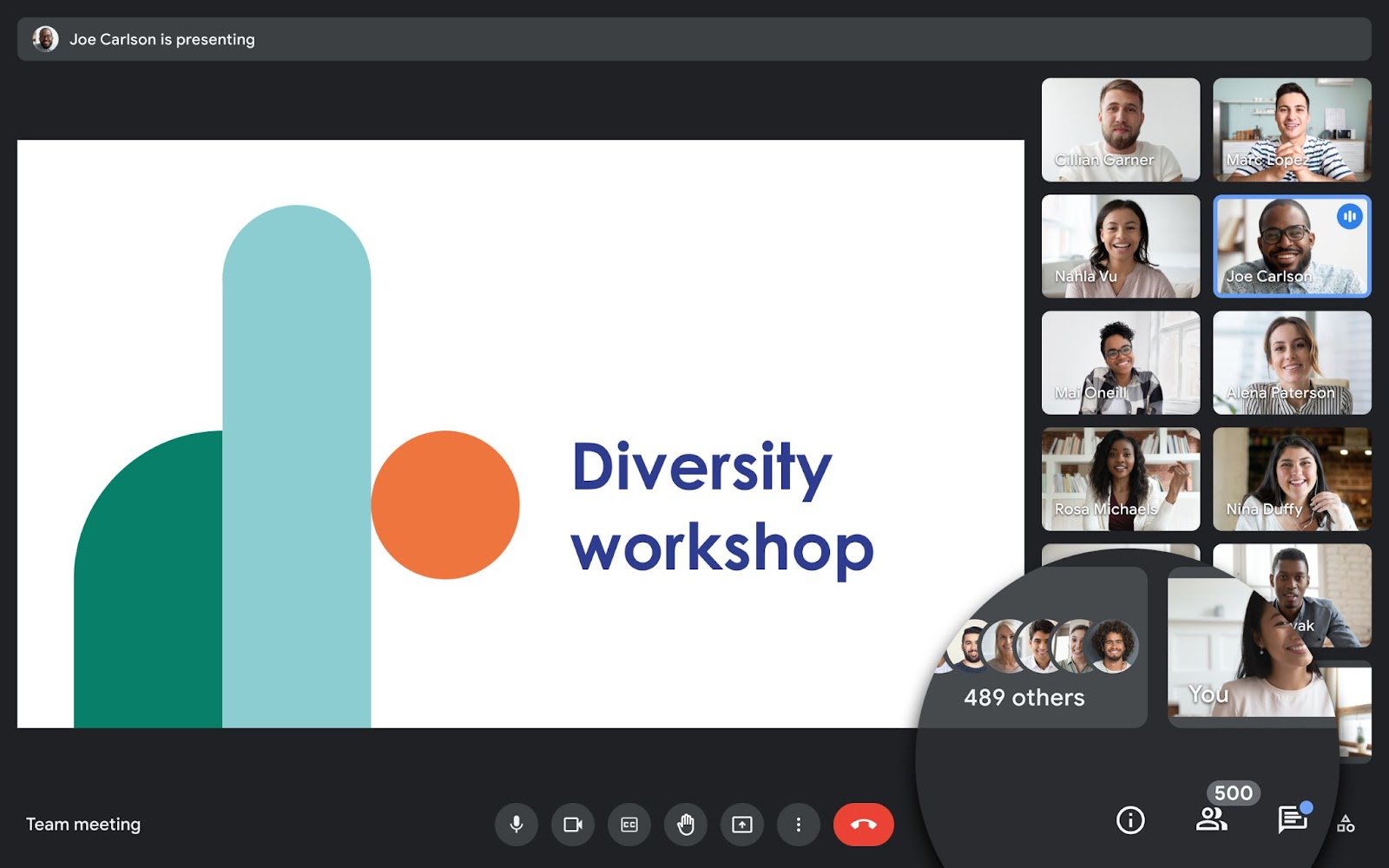
Google Meet now supports meetings with up to 500 participants for select Google Workspace editions.
Users in select Google Workspace editions, including Business Plus, Enterprise Standard, Enterprise Plus, and Education Plus, can now host Google Meet meetings with up to 500 participants to facilitate better collaboration with colleagues, clients, and customers.
Release: Both • Rapid: 2021-11-16 • Scheduled: 2021-11-16 -
2021-11-16Comms & Meetings

Google Chat now allows creators to delete named spaces in specific Google Workspace editions.
Creators of named spaces in Google Workspace Business Standard and Business Starter editions can now fully delete spaces, which removes all owned content, room tasks, and files not saved elsewhere. Once deleted, members lose access to the space, its files, and the member list. This feature is currently unavailable for editions that include Google Vault.
Release: Both • Rapid: 2021-11-16 • Scheduled: 2021-11-16 -
2021-11-10Content & Collaboration
Editors can now copy a single page or a subset of pages into a new Google Site.
Google Sites is adding the ability for editors to copy a single page or a specific subset of pages into a new site. Previously, users could only copy an entire site. This update allows for better content reuse and the ability to easily break large sites into smaller, more manageable ones.
Release: Both • Rapid: 2021-11-10 • Scheduled: 2021-11-10